
Turn a baby portrait into stickers
Pick any baby portrait saved in your account and we'll redraw it as a sticker set — 4 stickers on Trial, 6 on Standard and Premium, one matching art style assigned automatically from 12 built-in ones. Files are 512 × 512 px transparent WebP at about 30 KB, ready for the family group chat.
STYLE 01 / 12
Crayon Doodle
All ages · any genderCrayon doodle baby sticker style — rough crayon hatching, brownish-black hand-drawn outlines and waxy grain, like a page torn from a child's own sketchbook.
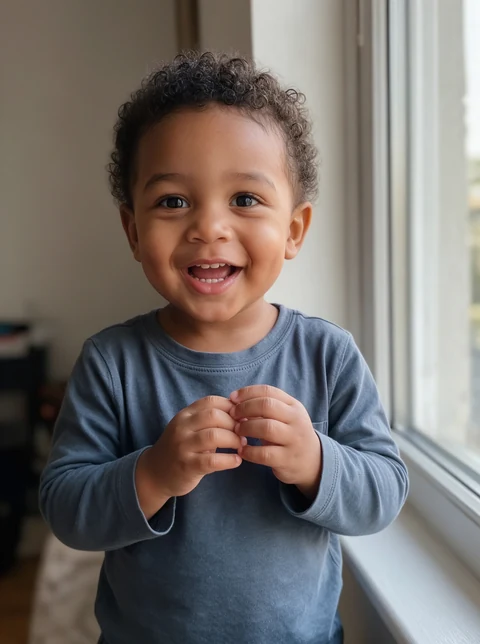
1 ORIGINAL PORTRAIT
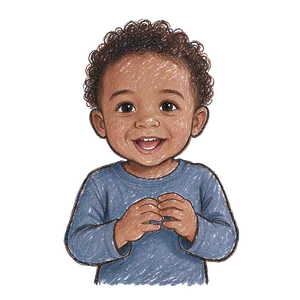
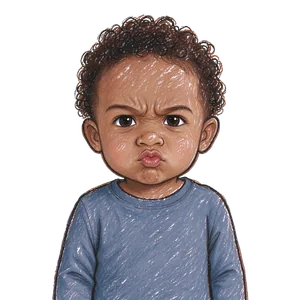
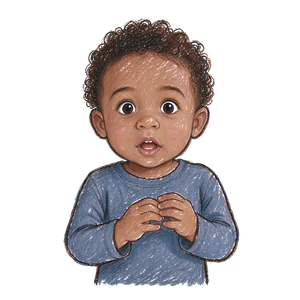
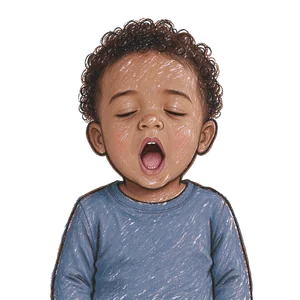
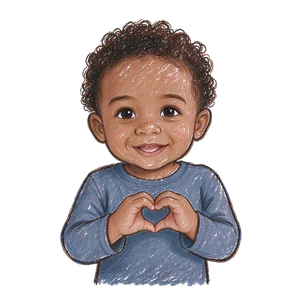
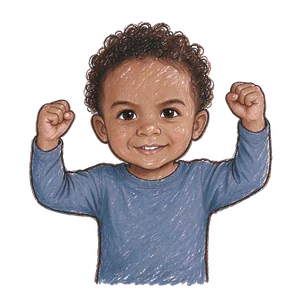
01 / 12
Every set uses one matching style — assigned automatically and matched to your child's age and gender.
How the sticker generator works
Three steps, no new photos: pick a portrait you've already made, let the generator restyle it, then send the set in any chat.
Pick a portrait from your account
Every sticker set starts from a baby portrait you've already made here — no new upload and no second round of photos. Portraits stay in your account, so you can come back weeks later and restyle one.
The generator picks a style and redraws it
One art style is assigned automatically, matched to your child's age and gender, then the same face is redrawn as 4 stickers on Trial or 6 on Standard and Premium — each a different expression, action or mood.
Download and send
Every file is 512 × 512 px transparent WebP at about 30 KB, so it sends cleanly in WhatsApp, Telegram or iMessage with no white box. Re-download the set from your account any time while your plan is active.
No portrait yet? Make one first
Two parent photos, or 4 photos across three generations — the generator turns them into a realistic baby portrait or a family keepsake. Turn any finished portrait into stickers above.
Four ways to use the AI baby generator
Same account, same photos, four different outputs: a single-baby portrait, a three-generation portrait, a family scene, or a sticker set.
01 · Two-parent portrait
Inone clear photo of each parent — 2 photos.
Outa realistic baby portrait at 1344 × 1792 px, usually in about 3 minutes.
Best fora first look at your future baby — the fastest mode, and the one that asks the least of you.
02 · Three-generation portrait
Infour photos — both parents plus one set of grandparents.
Outa single portrait with features blended across all three generations.
Best forkeeping the grandparents in the picture, which two-photo generators can't do.
03 · Family portrait
Inthe same photos you already uploaded — nothing extra.
Outyour child inside a family scene with the people you choose, at 1792 × 1344 px.
Best fora keepsake you can print and frame, not just a baby portrait.
04 · Sticker set
Inany finished portrait from your account.
Out4–6 die-cut stickers in one matching art style, 512 × 512 px transparent WebP.
Best forthe family group chat — one child, several moods.
How much does the sticker generator cost?
Trial is a one-time $4.49 and includes 1 set of 4 stickers. Standard is $9.99/month with 4 sets (24 stickers). Premium is $19.99/month with 9 sets (54 stickers).
Do I need to upload a photo?
No. Pick any baby portrait already saved in your account — one you generated here. Photos you uploaded for the portrait are not reused for stickers.
Can I make more than one set from the same portrait?
Yes. The same portrait can be restyled in a different art style, as long as your plan's sticker quota allows it. Trial includes 1 set, Standard 4 sets (24 stickers), Premium 9 sets (54 stickers) per month; unused quota does not roll over.
Will the stickers still look like my child?
Yes. Every sticker is redrawn from your own portrait, so the face, hair and colouring carry over. The result is stylised for a cartoon look rather than photographic.
Can I use the stickers in WhatsApp or iMessage?
They are 512 × 512 px WebP with a transparent edge — the format and size WhatsApp requires for stickers, and the same files send fine as photos in iMessage and any other chat. Adding them to WhatsApp's sticker tray needs a .wasticker package, and iMessage stickers need a Sticker Pack app; neither is supported yet. Sending them as images works everywhere.
What exactly do I get from the sticker generator?
A set of 4 stickers on Trial, or 6 on Standard and Premium, in one art style assigned from 12. Each file is 512 × 512 px with a transparent background, exported as WebP at roughly 30 KB.